HomeworkSynced 08:10 · next 16:10
AllMiaLeo
- English · Reading logMia · Ms HarperDone
- Maths · Fractions worksheetMia · Mr ChenToday 16:00
- Science · Food chains posterLeo · Ms OkaforMon
- French · Vocabulary set 4Leo · Mme RouxThu
Stay in touch Stay on top
School on one side, home on the other, one family thread down the middle. Homework, the timetable and after-school activities land in Fam ETC without anyone typing them in; lifts, kit bags and dinner get decided in chat — and turned into the plan with a tap.
Open now to St Andrews Bangkok families. Other schools are coming next.
Before
Everyone had a piece of the week. Nobody had the week. The kit gets remembered in the car and the due date at 8pm.
Stay on top
A parent pastes each child's private homework and timetable links once, in Settings. From then on homework, the timetable and after-school activities land in Fam ETC by read-only synchronization every eight hours — nothing to re-type.
Parent-controlled. The school link is encrypted, never shown again after you paste it, and only ever read. How we handle school data
Stay in touch
One chat for the whole family — parents and kids. And when a message is really a job, a date or a shopping run, turn it into one without re-typing a word. That's the moment "in touch" and "on top" become the same thing.
01A message
School sync · 09:12 · Maths worksheet added for Mia
Can someone bring my goggles?
In the swim bag.
Could we pick up pasta, tomatoes and basil for dinner?
02Turn it into…
Could we pick up pasta, tomatoes and basil for dinner?
03It's on the list
Could we pick up pasta, tomatoes and basil for dinner?
Kate added 3 items to Shopping · 12:08
One Wednesday
Every moment below is a feature doing its job — for Kate, Mia and Leo, on a school day like any other. Nothing lands at 8pm that you should have known at 8am.
Reminders
Leo’s football kitNudged the night before and again before the school run.
ECAs & timetable
Football · astro pitchFrom the school timetable, in Leo’s colour, on everyone’s Today.
School sync
Maths worksheet added for MiaDue today. It came from the school feed — nobody typed it in.
Family chat
“Can someone bring my goggles?”Leo asks the family. Kate answers from the office.
Chat actions
Dinner becomes a shopping list“Pasta, tomatoes, basil” → three items, shared with the family.
Homework hub
Fractions worksheet — doneMia ticks it off. Kate sees it without asking.
Meals
Friday dinner, chosen togetherThree votes, one winner, no debate at the table.
Same app, same calm layout, same family — one place for the things that don't come from school.
Plan the week's dinners together. Pick a night, put it to a vote, and the shopping list writes itself.
School events and family plans in one week, filtered per child.
Plan a holiday with the other adults who are coming — dates, bookings, who brings what.
Reading, practice, bedtime — small habits tracked without nagging.
Short rounds that follow this term's subjects — five minutes before dinner counts.
A daily puzzle for each age band. Siblings can race; parents usually lose.
Straight from school, per child, with this week's change.
iPhone · iPad · Web
One passkey login, one family, every device. The layout adapts instead of shrinking: a tab bar on iPhone, a navigation rail and a wider day on iPad, and the full app in any browser.
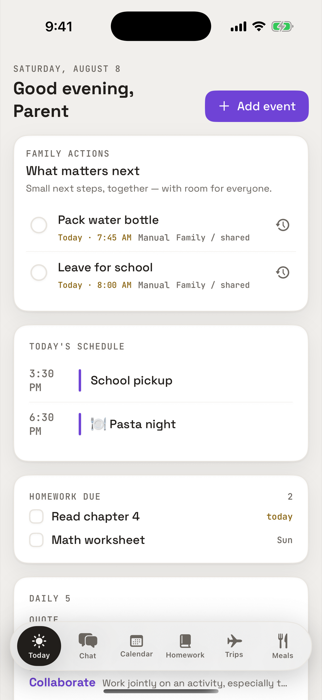
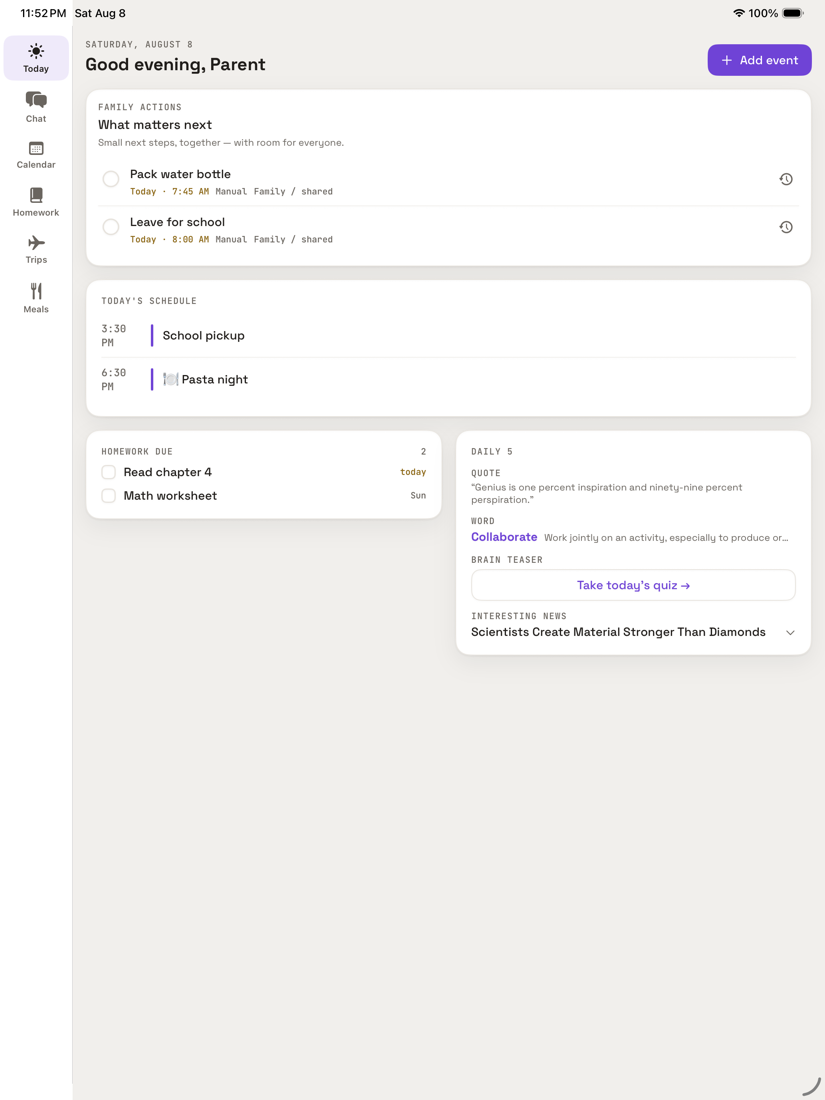

Real screens from the app. The iPhone & iPad app is available now on the App Store; the web app is open today at fametc.com — same login, same family.
Privacy & safety
Plain commitments, not a policy summary. Read the full privacy policy.
One passkey account, add each child. About a minute.
Paste each child’s private homework and timetable links once, in Settings. Fam ETC checks them every eight hours from then on.
Homework, ECAs, the timetable and points are already there. Say hi in the family thread.
Free for STA parents. Sign up with your STA invite code and there is nothing to pay. See pricing.
No — Fam ETC is built by parents, for families. It reads the private school feeds you choose to connect, and nothing else.
Only your family. Parents control every connection, the school link is encrypted, and school sync is strictly read-only. Read the privacy policy.
Snap the homework diary page. Fam ETC reads it and adds the tasks alongside the synced ones.
Yes. The web app works on every device today, and the native iPhone & iPad app is available now on the App Store. One passkey login covers both.
Chat, the shared calendar, meals, reminders, goals and trips work for any family right now. School sync is currently available for St Andrews Bangkok.
No. Kids see the family thread and their own day — homework, activities, streaks. Billing, family settings and other children’s details stay with parents.
STA families sign up free with an invite code. Anything we charge other families in future will be listed on the pricing page before it applies.
Create your family tonight. By the school run, everyone knows what today looks like.
Open now to St Andrews Bangkok families. Other schools are coming next.